How CellPOS runs in your shop.
One PC, one printer, one TSE. Setup in the browser, in one go.
You need
- a Windows PC in the shop (the till)
- a receipt printer on the network (Epson receipt printers run with us)
- the TSE as a USB stick or as a cloud TSE
- phones, tablets and screens as you wish; they only use the browser
You do not need
- no need for an internet connection in the shop
- no software on the phones, only the browser
- no cloud for your sales data
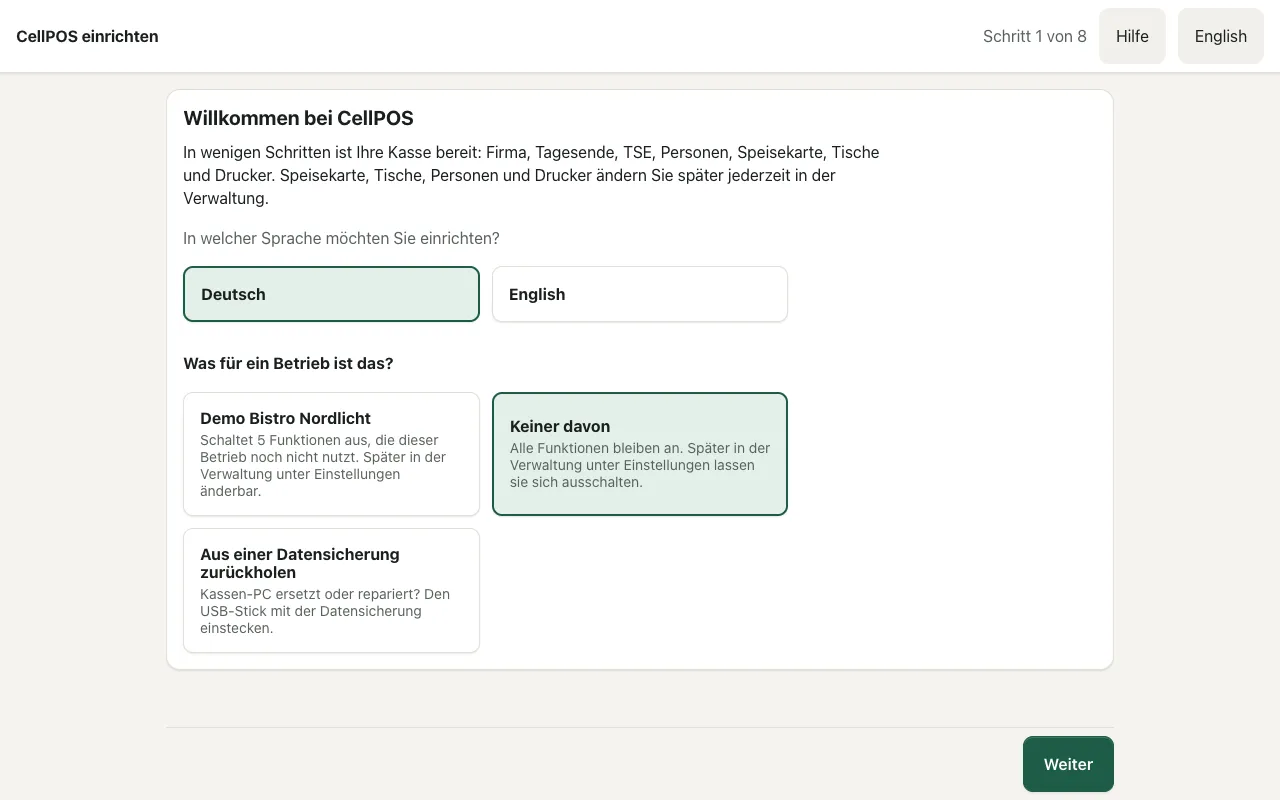
Setup in 5 steps
- 1
Install: an installer on the till PC, one double-click.
- 2
Company and TSE: name, address, tax number, VAT ID, end of day, TSE.
- 3
People: name, role and PIN. At least one admin.
- 4
Menu: your own dishes, one of the twelve templates, or start empty.
- 5
Tables: areas and tables; that is it. Nothing is saved until the end.
Setup is a wizard in the browser. From CellPOS 1 it takes over the old data.
Backup
The till backs up in encrypted form. The key is kept on paper as a recovery code.
Whoever steals the till cannot open a backup. It checks the code against the latest backup.
A new till restores everything from the stick, without assigning a number twice.
Updates
Updates come as one file signed by the manufacturer. The till checks it itself.
It only installs outside opening hours (not with an open shift or open bill). It backs up first.
If the new version does not start, it goes back to the previous one.
The shop Wi-Fi is enough. Kitchen, waiter phones and customer display connect to the till PC.
Only online orders, card payment through SumUp and the cloud TSE need internet.
Join the pilot